 Tractr Tramlines
Straight passes, from the phone in your cab.
GPS field guidance for iPhone and iPad. No £5,000 dome, no subscription to a machine you don't own — just accurate parallel passes and worked-area tracking that flows straight into your Tractr farm records.
Coming to the App Store · Works with your Tractr account.
Coverage
See every metre you've covered.
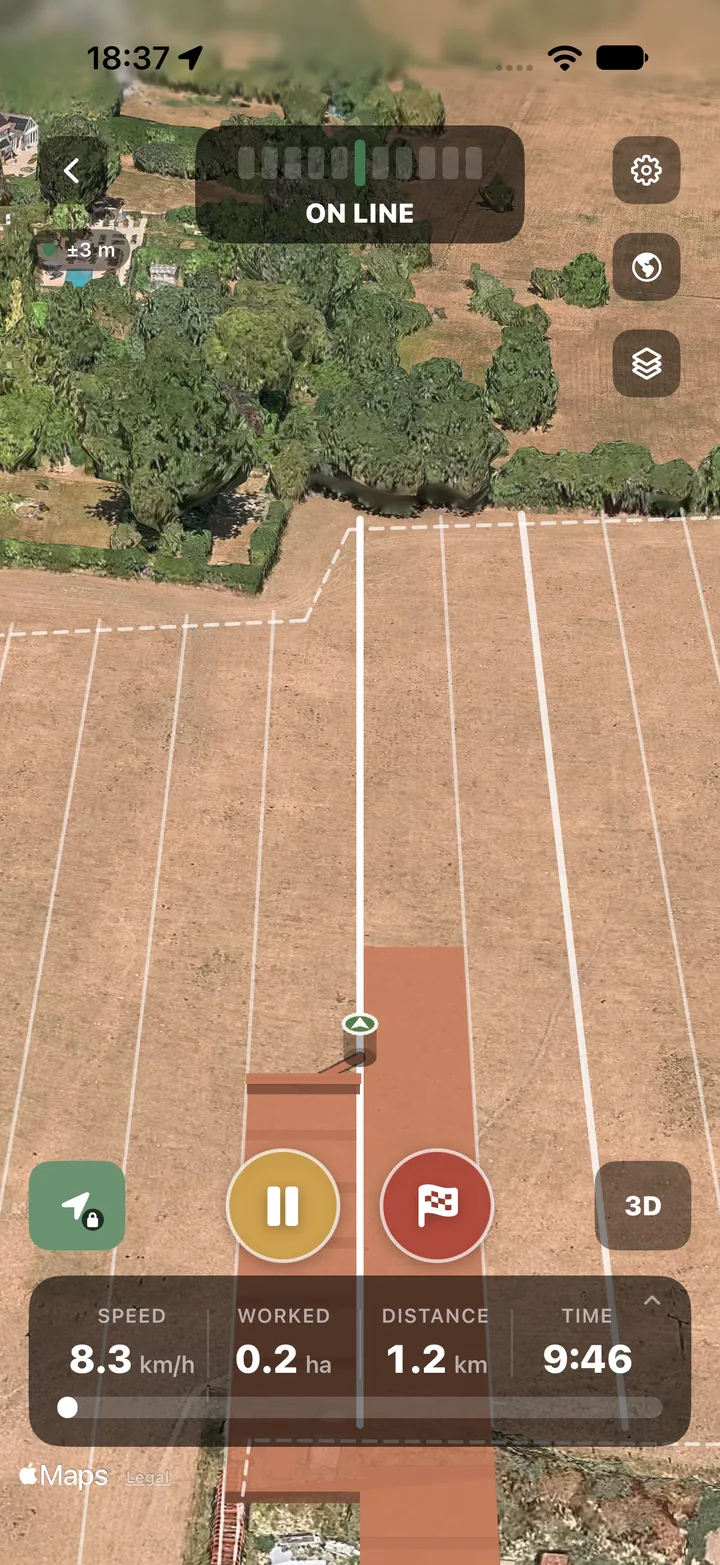
Tramlines paints the ground you've worked as you go and keeps the full GPS track, so you can see skips and overlaps at a glance and know exactly how much of the field is done.
- Worked-area coverage over satellite imagery
- A–B guide line, recorded track and overlap
- Hectares worked totted up automatically
- Speed, distance and time for every run
Guidance
Straight, curved, round the headland.
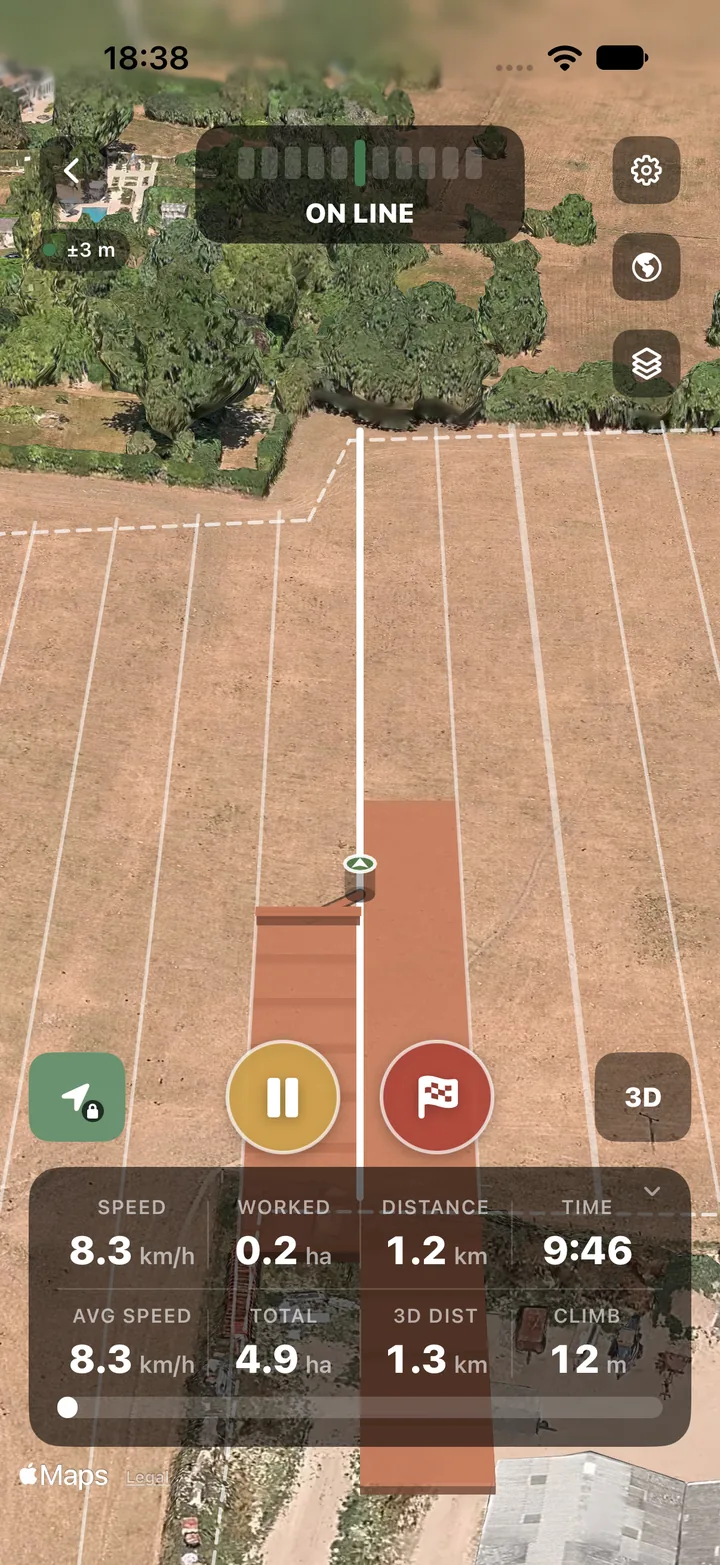
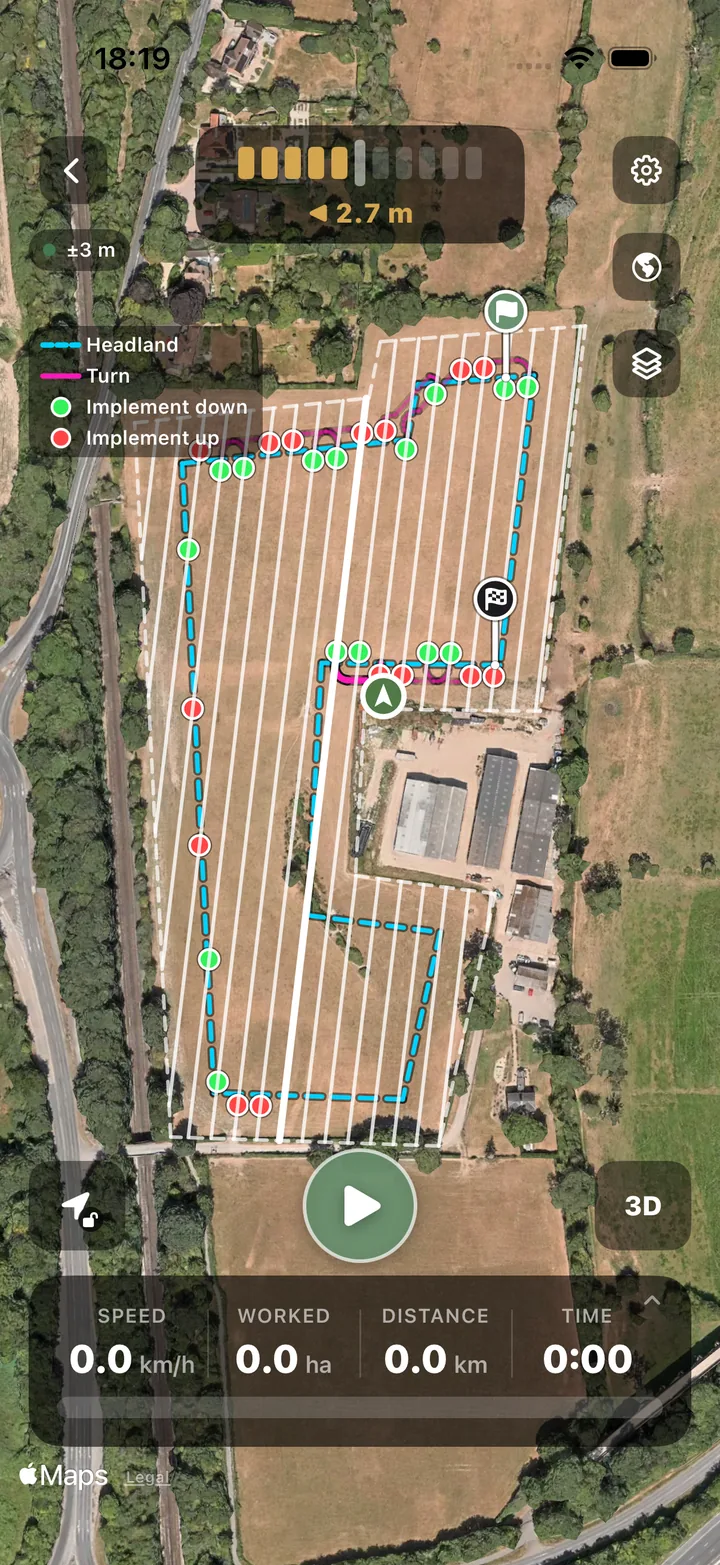
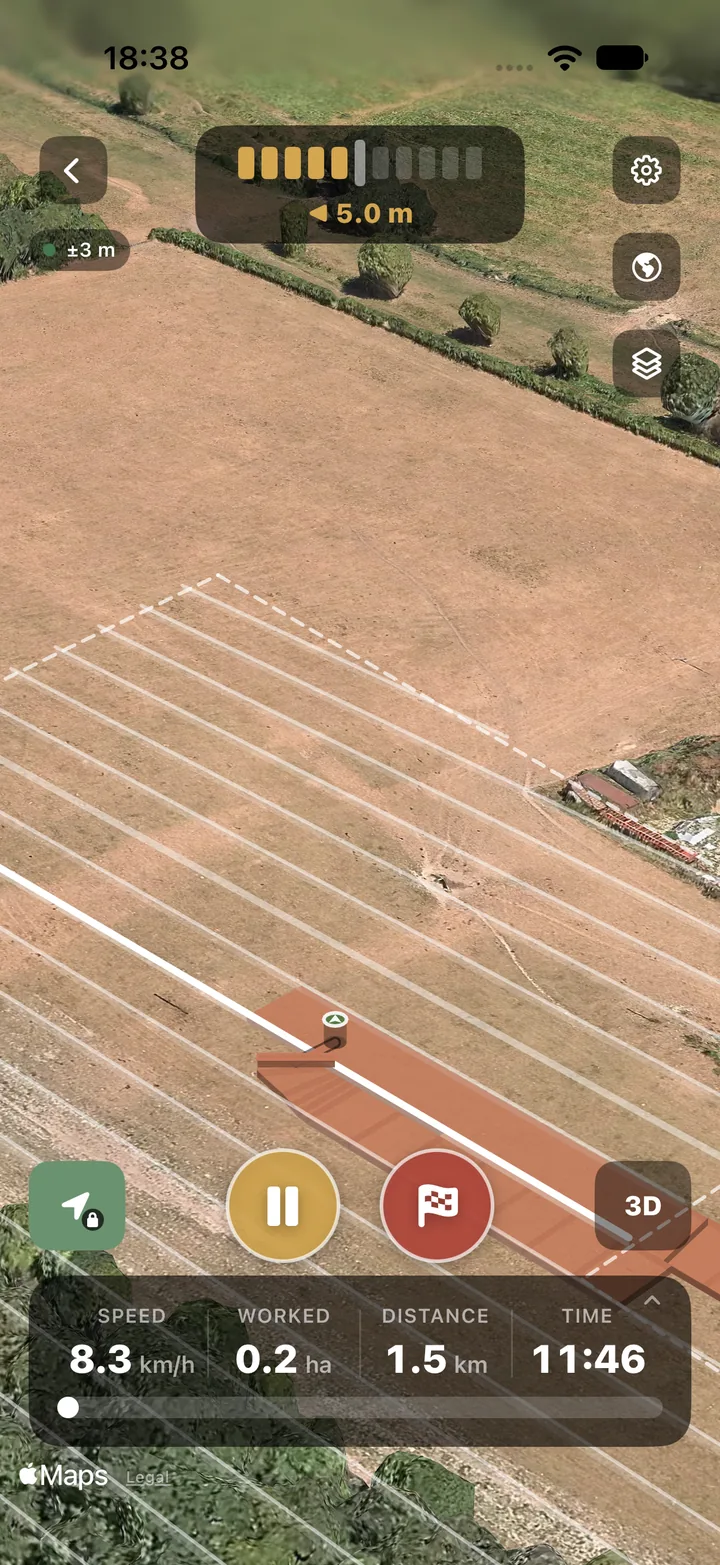
Straight A–B passes, curves that follow the field, and Auto, which plans passes and headland turns from a saved field boundary. The lightbar tells you which way to steer.
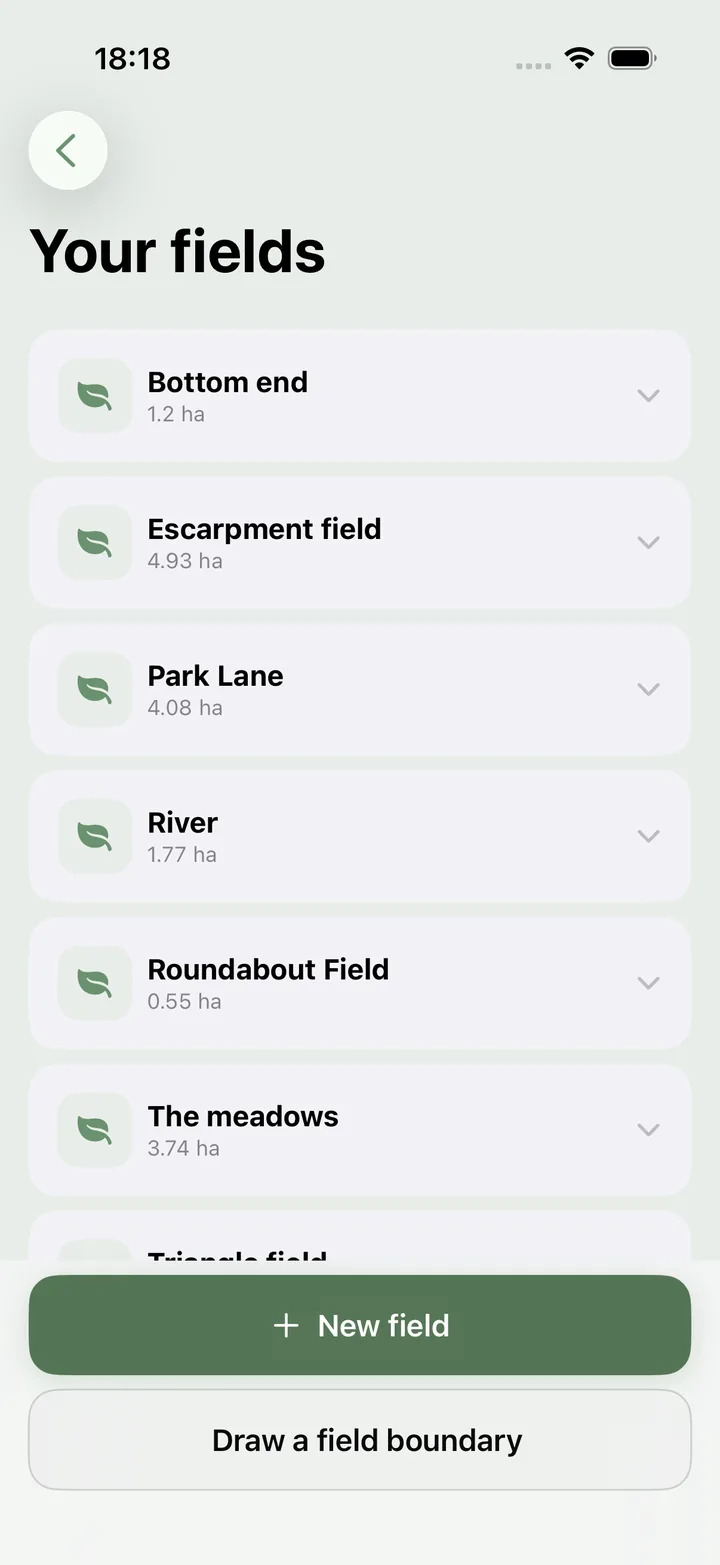
Fields
Your Tractr fields, already there.
Sign in with your Tractr account and your fields come with you, boundaries and all. Add a new field and draw its boundary on the map.
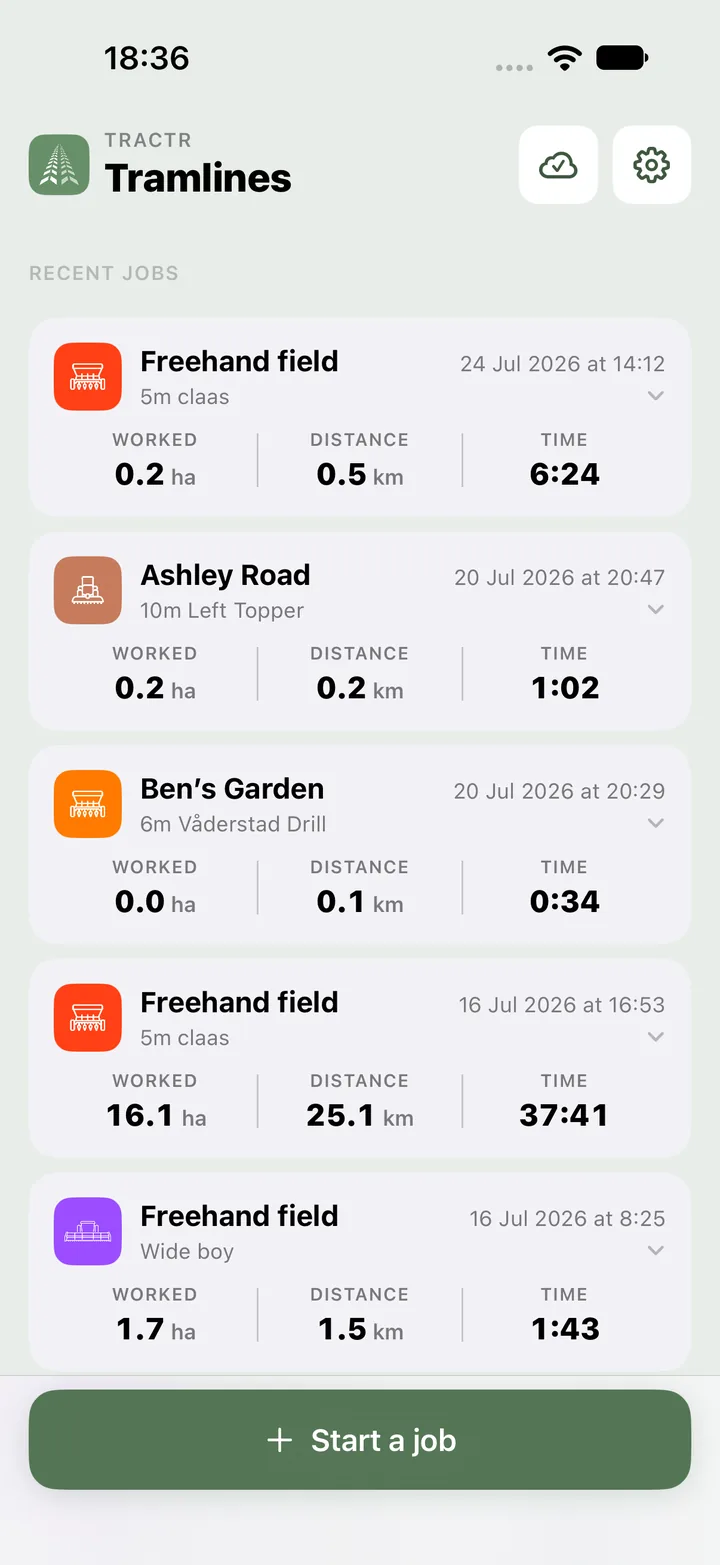
Records
Jobs that log themselves.
Every pass is saved as a job — field, equipment, guidance pattern, area, distance and time — and syncs into your Tractr field diary. Drilling, spraying and cultivating end up against the right field with nothing to re-type in the office.
How it works
Mount your phone
Pop your iPhone or iPad on the dash. Tramlines uses the built-in GPS — add a Bluetooth GNSS receiver later for extra accuracy.
Set your line
Mark an A–B line or follow a contour, enter your working width, and start driving. The lightbar keeps you on track.
Sync the job
Worked area and job details flow into your Tractr field diary automatically — compliance and records, sorted.
Tramlines FAQ
Do I need special hardware to use Tractr Tramlines?
No. Tramlines runs on the iPhone or iPad you already own, using the device GPS. An external Bluetooth GNSS receiver can be added later for higher accuracy, but it is not required to get started.
What guidance patterns does Tramlines support?
Straight A–B lines, curved (contour) passes, and circular guidance. Set your working width and Tramlines lays out parallel passes with a lightbar cue that shows how far you are off line and which way to steer.
How does Tramlines work with Tractr?
A worked job — the field, the pattern, the area covered and the date — syncs straight into your Tractr field diary, so drilling, spraying and cultivating are logged against the right field without re-typing anything.
How much does Tramlines cost?
Your first 10 jobs are free. After that, Tramlines Pro unlocks unlimited jobs for £0.99 a month or £5.99 a year, billed through the App Store. It is separate from your Tractr farm plan.
When can I get Tramlines?
Tractr Tramlines is coming to the App Store. Join the waitlist and we will let you know the moment it is available.
Be first to drive with Tramlines
Join the waitlist and we'll email you the moment Tractr Tramlines hits the App Store.